
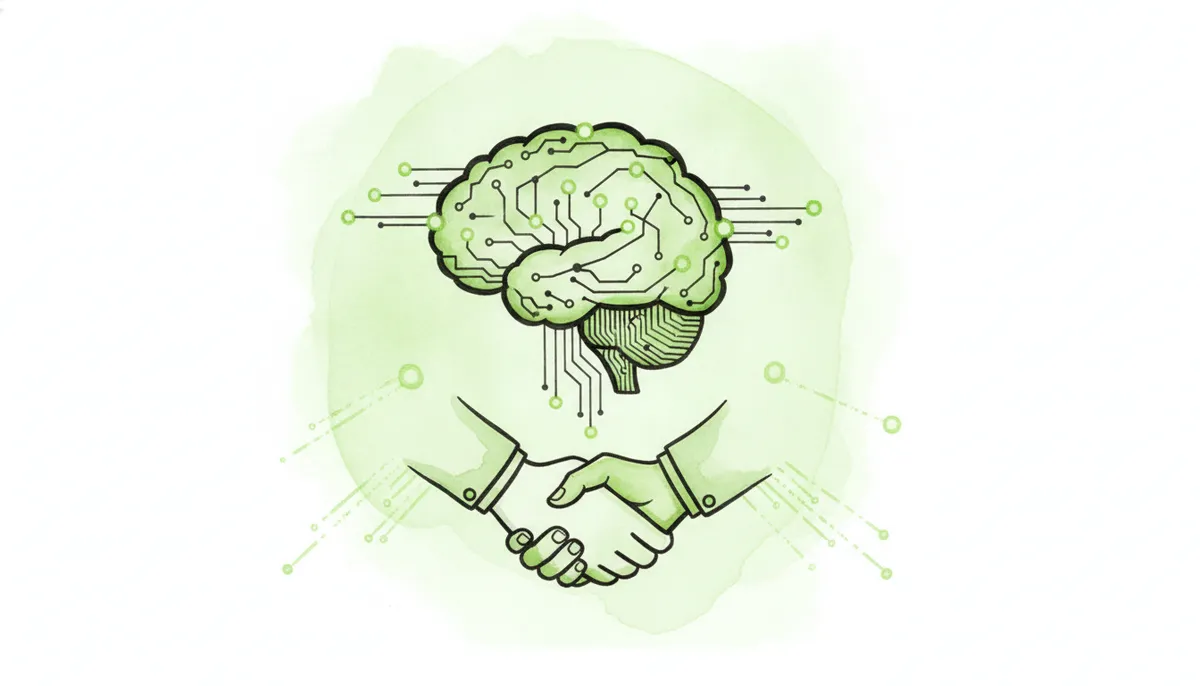
In the age of autonomous AI, your LLM agent’s icon is more than just a pixel-perfect graphic; it’s the digital handshake that builds initial trust with your users. For B2B SaaS founders, getting this single UI element right can mean the difference between user adoption and feature abandonment. This guide covers the top LLM agent icon generators for 2026 and the core design principles you need to create an icon that communicates intelligence, builds trust, and drives engagement.
An effective LLM agent icon is a critical user interface element that visually represents an autonomous AI, establishes its personality, and signifies an interactive, intelligent partnership. By leveraging AI-powered generators and adhering to key design principles focused on conveying intelligence and brand consistency, SaaS platforms can create an icon that boosts user trust and feature adoption.
- What is an LLM Agent Icon (And Why It’s Crucial for Your SaaS)?
- The Top 7 LLM Agent Icon Generators & Toolkits for 2026
- 1. Midjourney: For Hyper-Realistic & Conceptual Designs
- 2. Recraft.ai: For Style-Consistent Vector Icon Sets
- 3. IconifyAI: For Rapid Generation & Iteration
- 4. Adobe Firefly: For Seamless Integration with Creative Cloud
- 5. Noun Project (with AI): For Universally Understood Symbols
- 6. LottieFiles: For Animated & Interactive Icons
- 7. Custom Design via a Freelance Platform (e.g., Upwork, Toptal)
- Comparison: AI Generators vs. Stock Libraries vs. Human Designers
- 5 Essential Design Principles for an Effective LLM Agent Icon
- Integrating Your LLM Agent Icon into Your SaaS & Marketing
- How MSH Can Help
- Frequently Asked Questions
- What makes a good LLM agent icon in 2026?
- Should my LLM agent icon be animated?
- How much does it cost to create an LLM agent icon?
- Can I just use an emoji as my LLM agent icon?
- What’s the difference between an AI icon and an LLM agent icon?
- What file format is best for an LLM agent icon?
- How do I write a good prompt for an AI icon generator?
- Sources & Further Reading
Key Takeaways: Crafting the Perfect LLM Agent Icon
Quick Insights for SaaS Founders
- An LLM agent icon is a critical UI element that signifies AI interaction, builds user trust, and establishes your AI’s personality.
- Effective icons convey intelligence and autonomy, not just simple automation, differentiating them from standard app icons.
- Design for multiple states (thinking, listening, responding) to create a more dynamic and intuitive user experience.
- Leverage AI icon generators like Midjourney and Recraft.ai for speed and inspiration, but consider a human designer for ultimate brand alignment.
- Prioritize vector formats like SVG for scalability and consider Lottie for lightweight, high-quality animations.
- A/B testing your icon designs is crucial; small visual changes can significantly impact user engagement and conversion rates.
- Your LLM agent icon is a core brand asset that should be used consistently across your platform, marketing, and automated outreach.
What is an LLM Agent Icon (And Why It’s Crucial for Your SaaS)?
As AI agents become deeply embedded in SaaS workflows, their visual representation has evolved from a simple chatbot bubble to a sophisticated symbol of autonomous capability. Understanding what an LLM agent icon is—and what it isn’t—is the first step for any founder looking to build an intuitive, AI-powered product in 2026.
Defining the ‘LLM Agent Icon’ in the 2026 AI Landscape
An LLM agent icon is the visual representation of an autonomous AI entity within a user interface. It serves as the primary interaction point, signaling to the user that they are engaging with an intelligent system capable of understanding context, reasoning through problems, and taking action on their behalf.
Unlike a static button, this icon is the face of your AI. It must communicate advanced capabilities beyond simple, reactive conversation. It needs to visually imply that the agent has memory, can execute multi-step tasks, and can operate proactively. This icon manages user expectations, telling them, “This is not just a help bot; this is your co-pilot.”
The Business Impact: How a Great Icon Boosts User Trust and Adoption
In user interface design, visuals are a powerful shortcut to building credibility. A professional, thoughtfully designed icon creates an immediate sense of trust and quality. When users see a polished symbol representing your AI, they are more likely to believe the underlying technology is equally robust.
This directly impacts user adoption. A confusing or generic icon can create hesitation, while a clear, appealing one invites interaction. While the entire UI contributes to this, the agent icon is often the primary gateway to your most powerful AI features.
Furthermore, the icon sets the tone for the AI’s personality. Is it analytical and precise? Creative and helpful? A sharp, geometric icon might suggest the former, while a softer, organic shape could imply the latter. This visual branding is a critical component of the overall user experience.
Key Differences from Standard App & Chatbot Icons
It’s crucial to distinguish the LLM agent icon from its simpler cousins. Misunderstanding these differences can lead to a design that misrepresents your AI’s capabilities.
- App Icons vs. Agent Icons: An app icon represents the entire application—the container. An LLM agent icon represents a specific, active entity within that application. It’s a character, not the stage.
- Chatbot Icons vs. Agent Icons: Chatbot icons traditionally use motifs like speech bubbles, signifying reactive, turn-based conversation. They wait for a prompt and then respond.
- LLM Agent Icons: These icons must represent proactive, autonomous AI. Visual metaphors often include orbiting elements (to signify “thinking” or processing), neural network patterns, or subtle brain/spark motifs. They need to convey that the agent can work in the background, plan, and execute tasks without constant user input. This often requires designing for dynamic states—idle, listening, processing, responding—which are far less common for static app or chatbot icons.
The Top 7 LLM Agent Icon Generators & Toolkits for 2026
Whether you’re prototyping quickly or creating a final brand asset, a new generation of AI-powered tools can accelerate your design process. Here are the top platforms B2B SaaS founders should consider in 2026.
1. Midjourney: For Hyper-Realistic & Conceptual Designs
- Best for: Generating highly artistic, abstract, or detailed conceptual icons that push creative boundaries.
- How to use: Success in Midjourney relies on precise prompting. Describe the style, subject, color palette, and technical details. For example:
minimalist vector icon for an AI financial agent, neural network motif, blue and gold, on a white background --ar 1:1 --s 250 --style raw - Pros: Unmatched creative potential for unique, non-traditional outputs that can make your brand stand out.
- Cons: It produces raster images (like PNGs), which require a separate tool (like Vectorizer.AI or Adobe Illustrator) to convert into scalable vector formats. Achieving perfect brand consistency across multiple generations can also be challenging.
2. Recraft.ai: For Style-Consistent Vector Icon Sets
- Best for: Creating complete, brand-aligned icon sets in a consistent visual style, directly in a scalable format.
- How to use: Recraft’s key feature is its style control. You can generate an initial icon and then use its “Style” reference to create other icons (e.g., for different agent states or related features) that share the exact same aesthetic.
- Pros: Generates SVG vector files natively, which is ideal for web and app development. Its focus on style consistency is a massive advantage for building a cohesive brand identity.
- Cons: The interface and style controls can have a steeper learning curve compared to simpler, single-purpose generators.
3. IconifyAI: For Rapid Generation & Iteration
- Best for: SaaS teams that need to quickly prototype and compare dozens of different icon ideas in the early stages of design.
- How to use: IconifyAI streamlines the process with a simple interface focused exclusively on icon creation. You provide a prompt, and it generates multiple options in different predefined styles.
- Pros: Extremely fast and easy to use, making it perfect for brainstorming and validating concepts before committing to a final design direction.
- Cons: Offers less artistic freedom and fine-grained control than a general-purpose image model like Midjourney.
4. Adobe Firefly: For Seamless Integration with Creative Cloud
- Best for: Design teams and companies already embedded in the Adobe ecosystem (Photoshop, Illustrator).
- How to use: Firefly’s “Text to Vector Graphic” feature is the main draw. You can generate an icon with a prompt and then immediately open it in Adobe Illustrator for refinement, color changes, and integration into your existing design system.
- Pros: The AI model is trained on commercially safe data, reducing copyright concerns. The seamless workflow into professional design tools is a major efficiency boost.
- Cons: Requires an Adobe Creative Cloud subscription, making it a more expensive option if you don’t already use Adobe’s suite.
5. Noun Project (with AI): For Universally Understood Symbols
- Best for: Finding a strong, universally understood base symbol and then using AI to customize it to your brand’s style.
- How to use: Start by searching Noun Project for a core concept like “network,” “spark,” “brain,” or “assistant.” Once you find a simple, clear symbol you like, use its visual structure as inspiration for a prompt in a tool like Midjourney or Recraft to render it in your brand’s unique aesthetic.
- Pros: Your icon will be grounded in established visual metaphors, making it more intuitive for users to understand its function.
- Cons: This is a two-step process that requires more creative direction and effort than a single-prompt generation.
6. LottieFiles: For Animated & Interactive Icons
- Best for: Bringing your agent icon to life with animations for different states (e.g., thinking, listening, completing a task).
- How to use: Lottie is a file format (based on JSON), not a generator itself. However, LottieFiles is a massive repository of pre-made animations and tools to create your own. You can design a static SVG icon and then use tools to animate its properties.
- Pros: Lottie animations are incredibly lightweight, scalable like vectors, and can be controlled programmatically. This allows for rich, interactive feedback without slowing down your app.
- Cons: Requires animation skills or the use of pre-made templates, which may not perfectly match your brand.
Bringing concepts to life? If you have a clear vision for an animated or interactive agent but need the technical expertise to build it, our AI-powered web development services can turn your designs into a seamless user experience.
7. Custom Design via a Freelance Platform (e.g., Upwork, Toptal)
- Best for: Established SaaS companies needing a completely unique, professionally designed icon that perfectly embodies their brand and is crafted by an expert.
- How to use: Write a detailed design brief that outlines your brand values, the agent’s personality, required states (idle, processing, etc.), and technical constraints (e.g., must work at 16x16px).
- Pros: Guarantees the highest quality, perfect brand alignment, and expert guidance on usability and scalability.
- Cons: This is the most expensive and time-consuming option, but it often yields the best long-term results.
Comparison: AI Generators vs. Stock Libraries vs. Human Designers
For SaaS founders, choosing the right approach depends on balancing speed, cost, and brand uniqueness. This table breaks down the key trade-offs.
Choosing the Right Approach for Your SaaS Budget and Goals
| Factor | AI Icon Generators | Stock Icon Libraries | Human Designer |
|---|
| Speed | Very High (Minutes to hours) | High (Minutes) | Low (Days to weeks) |
|---|---|---|---|
| Customization | High (Prompt-dependent) | Very Low (Colors may be editable) | Very High (Fully bespoke) |
| Uniqueness | Medium to High (Can be generic without skill) | Very Low (Used by many others) | Very High (Completely unique) |
| Brand Alignment | Medium (Requires careful prompting/editing) | Low (Difficult to match brand perfectly) | Very High (Designed for your brand) |
| Scalability | Medium to High (Vector output is key) | High (Typically provides vector files) | Very High (Delivers all required formats) |
5 Essential Design Principles for an Effective LLM Agent Icon
A great tool is only half the battle. To create an LLM agent icon that truly connects with users, you must adhere to several core design principles that go beyond simple aesthetics.
1. Convey Intelligence, Not Just Automation
Your icon needs to communicate that the agent can “think,” not just execute. Avoid clichéd visuals like generic robots or simple gears, which suggest rigid, pre-programmed automation. Instead, lean into more abstract concepts that imply cognition and learning:
- Neural Pathways: Interconnected lines or nodes.
- Glowing Orbs: A central point of energy or knowledge.
- Sparks of Light: Suggesting an idea or moment of insight.
- Subtle Brain Motifs: Abstracted and integrated into a modern shape.
The goal is to visually represent a system that can reason and adapt, setting it apart from a basic script.
2. Maintain Unbreakable Brand Consistency
The agent is part of your product, not a third-party add-on. Its icon must feel like a natural extension of your brand’s visual language.
- Color Palette: Use your established brand colors. If your agent has a distinct personality, you can use a primary brand color accented with a secondary color to give it a unique identity.
- Shape Language: The icon’s form should match your overall aesthetic. For example, if your brand uses soft, rounded shapes and friendly typography, your agent icon should avoid sharp, aggressive angles.
3. Design for Multiple States & Animation
An LLM agent is dynamic, and its icon should be too. Providing visual feedback is critical for a good user experience. Plan for at least four key states:
- Idle: The default state, waiting for user input. Often a calm, static version of the icon.
- Listening: When the agent is actively receiving input (voice or text). This could be represented by a subtle pulse or a wave-like animation.
- Processing: When the agent is “thinking” or working on a task. Common visuals include orbiting particles, a gentle swirl, or shifting geometric patterns.
- Responding: When the agent is delivering an output. This might be a simple flash or a transformation back to the idle state.
Subtle animations between these states make the agent feel more alive and responsive. As noted by Google’s Material Design guidelines, motion provides feedback and guides the user’s attention. Technologies like Lottie are perfect for implementing these animated states efficiently.
4. Ensure Clarity, Simplicity, and Scalability
An icon is a piece of communication, and its message must be clear at a glance.
- Recognizability: The icon must be instantly identifiable, even at very small sizes like 16×16 pixels in a browser tab.
- Simplicity: Avoid excessive detail, gradients, or text that will become a blurry mess when scaled down. Test your design at multiple sizes to ensure it remains legible.
- Scalability: Using a vector format like SVG (Scalable Vector Graphics) is non-negotiable. This ensures the icon remains perfectly crisp on any screen, from a small mobile device to a large 4K monitor.
5. A/B Test Your Icons for User Perception & Engagement
Your team’s favorite design may not be the one that resonates most with your users. Don’t rely on internal opinions alone. Implement A/B testing to gather real-world data on your icon’s performance.
- Metrics to Track:
- Click-through rate (CTR) on the icon to initiate interaction.
- Task completion rate for workflows involving the agent.
- Time to first interaction with the agent.
- Qualitative Feedback: Ask users which icon feels “smarter,” “more trustworthy,” or “more helpful.” These perceptions are crucial for building a strong user-AI relationship.
Companies that embrace a culture of testing see significant returns. For example, major tech companies like Microsoft have long reported that extensive A/B testing is a core driver of revenue growth and user satisfaction improvements. Even a small uplift in engagement with your core AI feature can have a major impact on your business.
Integrating Your LLM Agent Icon into Your SaaS & Marketing
Once you’ve designed the perfect icon, the final step is to implement it effectively across your entire ecosystem—from the product’s UI to your external marketing campaigns.
Technical Implementation: SVG vs. Lottie
Choosing the right file format is a critical technical decision.
- SVG: This is the universal standard for static vector icons. It’s supported by all modern browsers, has an extremely small file size, and can be manipulated with CSS. If your icon has no animation, SVG is the way to go.
- Lottie: This is the modern standard for animated icons. A Lottie file is a JSON file that describes the animation, making it scalable, lightweight, and performant. It gives you the quality of a video with the flexibility of an image. If you’ve designed multiple states for your agent, Lottie is the best choice for implementation.
UI/UX Placement for Maximum Impact
Where you place the icon in your application depends on the agent’s role.
- Global Assistant: If the agent can help with tasks anywhere in the app, common placements include a persistent spot in the main navigation bar or as a floating action button (FAB) in the corner of the screen.
- Context-Specific Tool: If the agent’s function is tied to a specific feature (e.g., summarizing a document), it should be placed directly within that feature’s interface, close to the content it acts upon.
- Command Bar Integration: A popular modern approach is to integrate the icon into a command bar (accessible via a keyboard shortcut like Ctrl+K), making the agent a seamless part of the user’s workflow.
Beyond the App: Using Your Icon in AI-Powered Marketing
Your LLM agent icon shouldn’t just live inside your product. It’s a powerful brand asset that can signify intelligence and innovation in your marketing. This is a key part of an effective AI marketing consultancy guide for modern SaaS companies.
- Automated Outreach: Use the icon in email signatures for automated outreach campaigns. This subtly communicates that the message was crafted with AI assistance, adding a layer of transparency and novelty.
- Onboarding Materials: Feature the agent and its icon prominently in user onboarding flows, tutorials, and help documentation. This introduces users to the AI’s capabilities from day one.
- Website & Landing Pages: Use the icon on your marketing site to visually represent the AI-powered features that differentiate your product from competitors.
By treating your icon as a core brand element, you create a consistent and recognizable symbol for your company’s investment in cutting-edge AI.
How MSH Can Help
Crafting the perfect LLM agent icon is a blend of artistic design, brand strategy, and technical implementation. If you’re a B2B SaaS founder trying to translate your powerful AI technology into an intuitive and trustworthy user experience, it can be challenging to get every detail right—from the initial concept to the final animated Lottie file integrated into your app. A generic icon can undermine your credibility, while a poorly implemented one can hurt performance.
At Techno Believe Solutions, we specialize in both end-to-end AI product development and the UI/UX design that makes those products successful. Our team provides AI-powered web development services that cover everything from designing a scalable, brand-aligned agent icon to implementing it seamlessly within your web or mobile application. We ensure your AI’s visual identity matches its intelligence.
Ready to build an AI interface that users love and trust? Contact Techno Believe today to discuss how our design and development expertise can elevate your SaaS platform.
Frequently Asked Questions
What makes a good LLM agent icon in 2026?
A good icon is simple, scalable, brand-aligned, and clearly conveys intelligence and autonomy, not just automation. It should also ideally support multiple animated states (like ‘thinking’ or ‘listening’) to provide critical user feedback and feel more responsive.
Should my LLM agent icon be animated?
Animation is highly recommended for 2026. Subtle animations for different states (e.g., a pulse for listening, a swirl for processing) significantly improve the user experience by making the agent feel more responsive and alive. Use technologies like Lottie for efficient, high-quality animations.
How much does it cost to create an LLM agent icon?
The cost varies widely. Using an AI generator can be as low as $10-$30 per month for a subscription. Buying from a stock site is similar. Hiring a professional freelance designer for a completely custom icon can range from a few hundred to several thousand dollars, depending on their experience and the project’s complexity.
Can I just use an emoji as my LLM agent icon?
It is generally not recommended for a professional B2B SaaS product. Emojis can appear unprofessional, lack unique branding, and cannot be customized to show different states (like processing). A custom-designed icon provides a much stronger and more trustworthy brand signal to your users.
What’s the difference between an AI icon and an LLM agent icon?
The terms are often used interchangeably, but there’s a nuance. A generic ‘AI icon’ might just signify a feature is AI-powered. An ‘LLM agent icon’ specifically represents an autonomous entity you can interact with, implying a higher level of capability like planning, memory, and tool use.
What file format is best for an LLM agent icon?
For static icons, SVG (Scalable Vector Graphics) is the best format as it’s infinitely scalable without losing quality and has a small file size. For animated icons, Lottie (which uses a JSON file) is the modern standard due to its small file size, scalability, and support for programmatic control.
How do I write a good prompt for an AI icon generator?
Be specific and descriptive. Include the desired style (e.g., ‘minimalist vector icon’), the subject (‘AI data analyst agent’), key motifs (‘neural network, glowing spark’), your brand colors (‘deep blue and silver’), and technical details (‘on a white background, simple, clean lines, –ar 1:1’).
Sources & Further Reading
- Nielsen Norman Group – The Power of Microinteractions — An expert guide on how small animations and feedback loops improve user experience.
- Smashing Magazine – A Guide To Voice And Tone In UX Writing — While focused on writing, the principles of establishing a personality apply directly to icon design.
- Material Design – Understanding motion — Google’s official documentation on using motion to create intuitive and beautiful user interfaces.
- LottieFiles – The Future of Animation and Interactive Design — The central hub for the Lottie animation format, with tools, resources, and examples.
- Forrester – The Business Value Of Design — Research outlining the significant ROI companies can achieve by investing in professional design.